Painting margins live in labor hours and paint costs. MM CRM tracks both on every job, puts every estimate request in one inbox and keeps crews from being double-booked, for one flat monthly price with every user included.
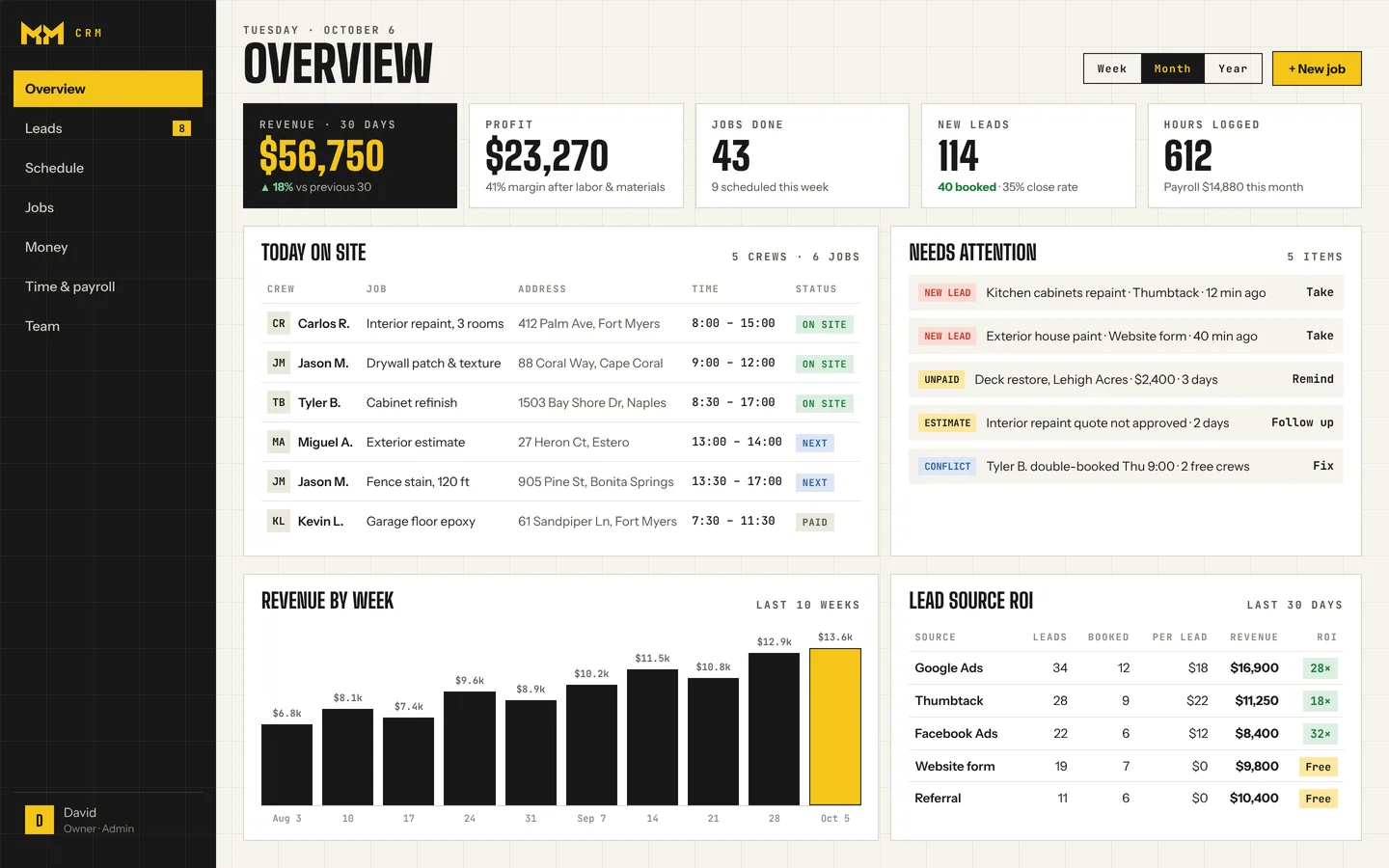
Requests from your site, Google and Thumbtack ping your phone and land in one inbox, with the address and the rooms to paint.
You put each job on a crew. A three-day exterior cannot overlap another job by mistake.
The crew gets the job in Telegram, starts the timer and adds the paint store receipt to the job as an expense.
You see the hours, the paint and the profit on that house, and whether you priced it right.
The setup means we build MM CRM around how you already work. You don't configure anything.
Interior, exterior, cabinets, commercial: your way.
Hourly or per job, set per painter.
Tagged per lead, so you see which source brings whole-house jobs.
Your crew's language, on request.
Want to see the crew side? Here is what your crew sees in Telegram, step by step.
The big names charge by the seat. Here is what a painting team pays each month.
| Monthly price | OursMM CRM | Jobber | Housecall Pro |
|---|---|---|---|
| Team of 5 | Flat rate | $299Grow, 5 users | $189Essentials, 5 users |
| Team of 10 | Flat rate | $399Grow, 10 users | $399MAX, 8 users + 2 × $35 |
| Each extra user | Free, unlimited | +$29 / month | +$35 / month |
Jobber and Housecall Pro prices are from their own pricing pages as of October 2026, billed monthly with no contract, before card fees and add-ons. Both offer lower prices if you prepay a year. Plans change, so check getjobber.com/pricing and housecallpro.com/pricing for current terms.
Full comparisons: MM CRM as a Jobber alternative and MM CRM as a Housecall Pro alternative.
Don't see yours? Ask us. It's free, and there's no pressure.
Ask a questionOne flat monthly price with unlimited users, plus a one-time setup that we do for you. Ask us for the numbers.
No. Crews use Telegram on the phone they already have. You get the full overview in the browser.
Yes. Each job shows hours, expenses and profit, so you can compare jobs and adjust how you quote.
Yes. Hourly or per job, set for each painter.
They charge per user and you set them up yourself. MM CRM is one flat price for unlimited users, set up for you, with crews on Telegram. See MM CRM vs. Jobber and MM CRM vs. Housecall Pro.
A 15-minute call: we show you MM CRM, ask how your painting crews work, and tell you exactly what we'd set up. No commitment.