Housecall Pro adds a fee for every user past your plan. MM CRM is one flfor one flat monthly price for unlimited users, covering leads, scheduling, time, expenses and job profit, and we set it up for you.
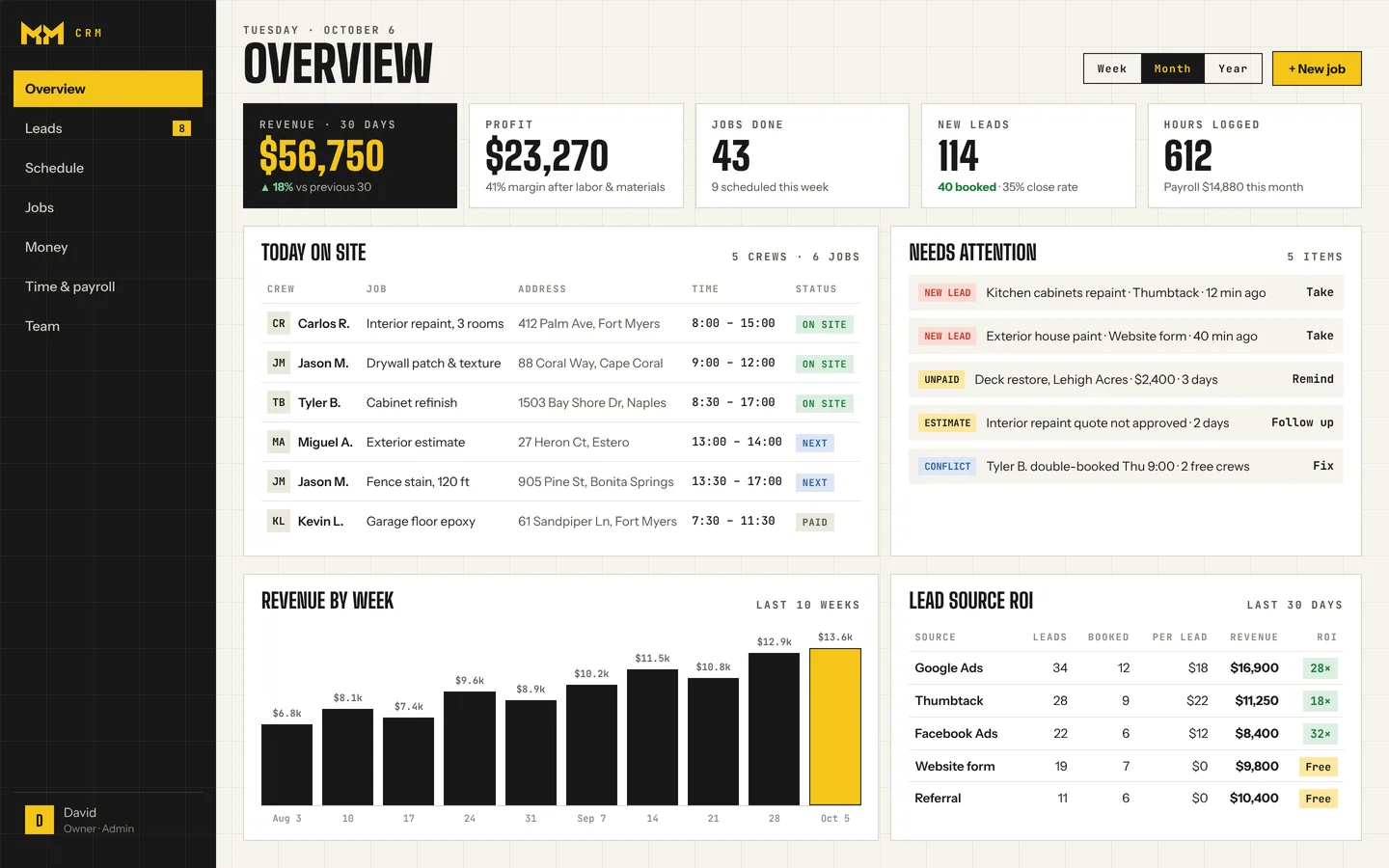
We compare against the plans that match what MM CRM does: leads, scheduling, time tracking and job profit, not their bare starter tiers.
| Compare | OursMM CRMFlat rateFlat. Every user included. | Jobber$299/moGrow plan, 5 users | Housecall Pro$189/moEssentials plan, 5 users |
|---|---|---|---|
| What you pay | |||
| Team of 5 | Flat rate | $299Grow, 5 users | $189Essentials, 5 users |
| Team of 10 | Flat rate | $399Grow, 10 users | $399MAX, 8 users + 2 × $35 |
| Team of 15 | Flat rate | $499Grow, 15 users | $574MAX, 8 users + 7 × $35 |
| Each extra user | Free, unlimited | +$29 / month | +$35 / month |
| Setup | Set up for you — we do it all | You set it up | You set it up |
| First year, team of 10 | Flat ratesame price at any size | $4,788 | $4,788 |
| Built your way | |||
| Set up around how you work | Settings & templates | Settings & templates | |
| New features on request | |||
| Your data in your own Google Sheet | |||
| Crew uses Telegram — nothing to install | Own app | Own app | |
| In your crew's language | Any language, on request | English & Spanish | English & Spanish |
| Leads & jobs | |||
| One inbox for Thumbtack, website & Zapier leads | Pipeline add-on, +$49 / month | ||
| Instant lead alert to your phone | |||
| Drag-and-drop schedule, no double bookings | |||
| Tomorrow's schedule posted to the crew chat | |||
| Quotes & invoices | On request | ||
| Card payments | Coming soon | 2.9% + 30¢ | From 2.59% |
| Team & money | |||
| Roles — crews never see prices or profit | |||
| Job timers, hourly or per-project pay | |||
| Expenses & profit on every job | |||
| Support | Chat, email, phone call & TelegramStraight to the people who built it | Chat, phone, email | Phone & chat |
Jobber and Housecall Pro prices are from their own pricing pages as of October 2026, billed monthly with no contract, before card fees and add-ons. Both offer lower prices if you prepay a year. Plans change, so check getjobber.com/pricing and housecallpro.com/pricing for current terms.
No app to install, no logins to forget. Each person gets their own jobs on the phone they already carry — and only what they need to do the work.
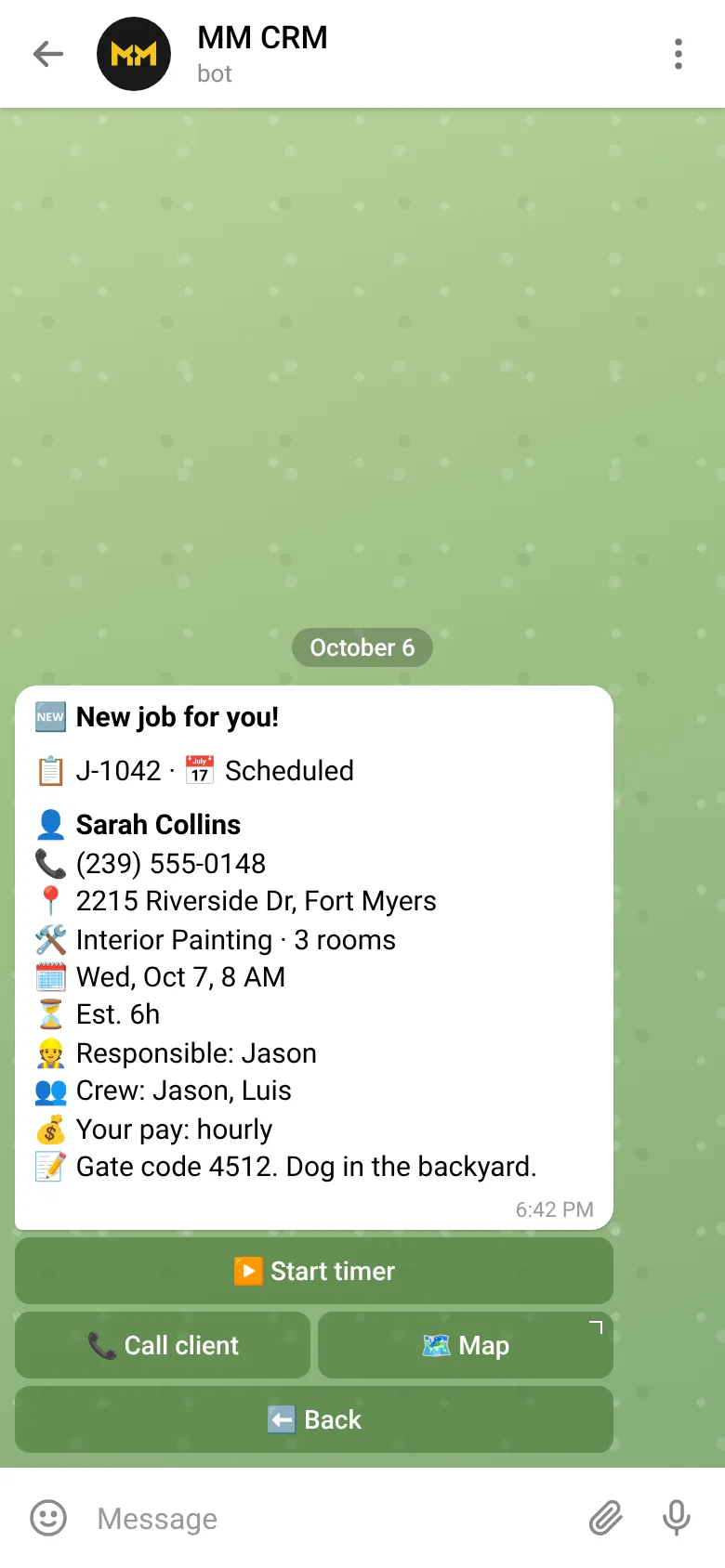
Client, address, time, crew and notes arrive the moment you assign it. One tap to call the client or open the map.
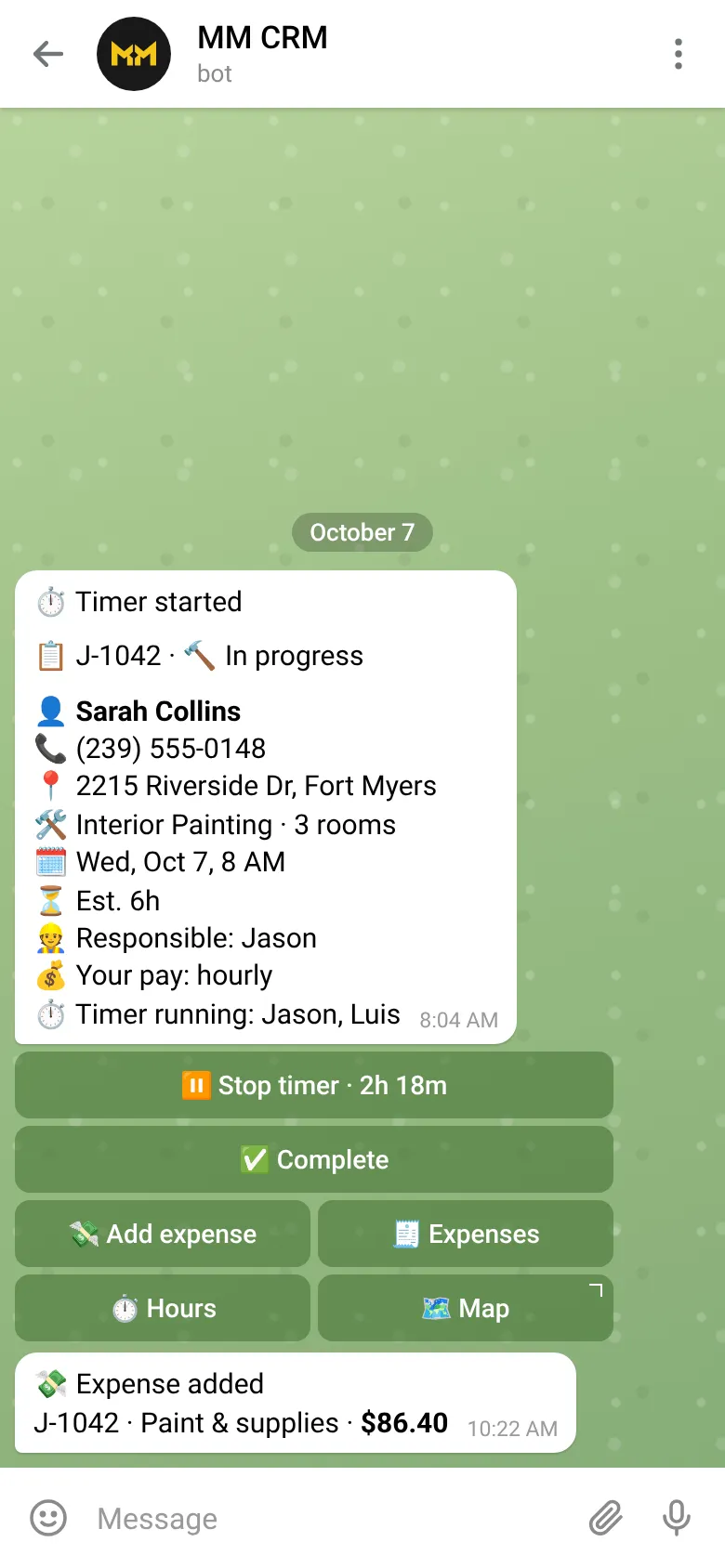
On site, they tap Start. Hours count toward payroll, and receipts go in as expenses right from the job.
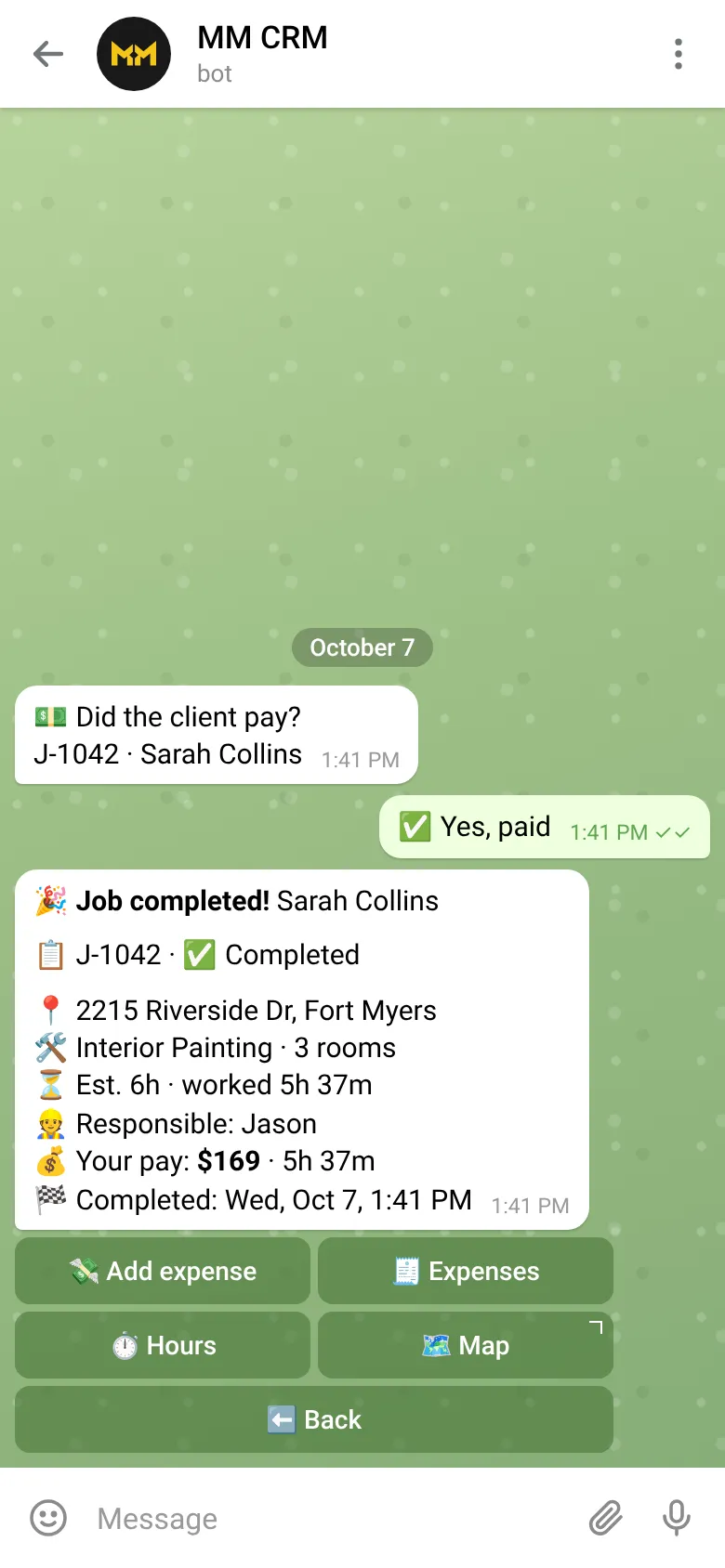
They mark it complete and whether the client paid. You get the notice, the hours and the job's profit — they see only their own pay.
Don't see yours? Ask us. It's free, and there's no pressure.
Ask a questionFor most teams, yes. At the October 2026 monthly prices, a 10-person team pays about $399 a month on Housecall Pro MAX (8 users plus 2 extra at $35) versus one flat monthly price on MM CRM, with no per-user fees. Check housecallpro.com/pricing for current terms.
Today Housecall Pro has built-in invoicing, card payments, online booking and marketing tools. In MM CRM, quotes and invoices are set up on request and card payments are coming soon.
Yes. We set MM CRM up around how you work and walk your crew through it on Telegram.
MM CRM is one flat monthly price plus a one-time setup. Ask us on the demo call about terms.
A 15-minute call: we show you MM CRM, ask how your crews work, and tell you exactly what we'd set up. No commitment.